Hello teams, this release is all about sharing what works! For the first time you can share your favorite journeys with the community and browse our new Template Library to find proven templates for best practices. And that’s not all. We made Hands more powerful and added a ton of improvements for cards, filters and other aspects of Codecks. Let’s dive into the full list!
🧭 Journey Templates
Game dev differs from most software practices by having a strong asset production focus. Game production feels like constructing a virtual content factory for your game… and then starting from zero again for your new game.
Setting up these pipelines in other tools can feel pretty complex and awkward because this approach is usually not baked into tools. That’s why we’re so happy to have our Journey feature which allows you to model the virtual production line that you’ll need to create a full game. It not only automates card creation, removing busy work, it also helps you not forget about important details.
In this version we’re making it even easier to work with Journeys, by integrating a new template browser that allows you to discover and import Journeys that were created by the community, allowing you to access best practices across typical game dev workflows.
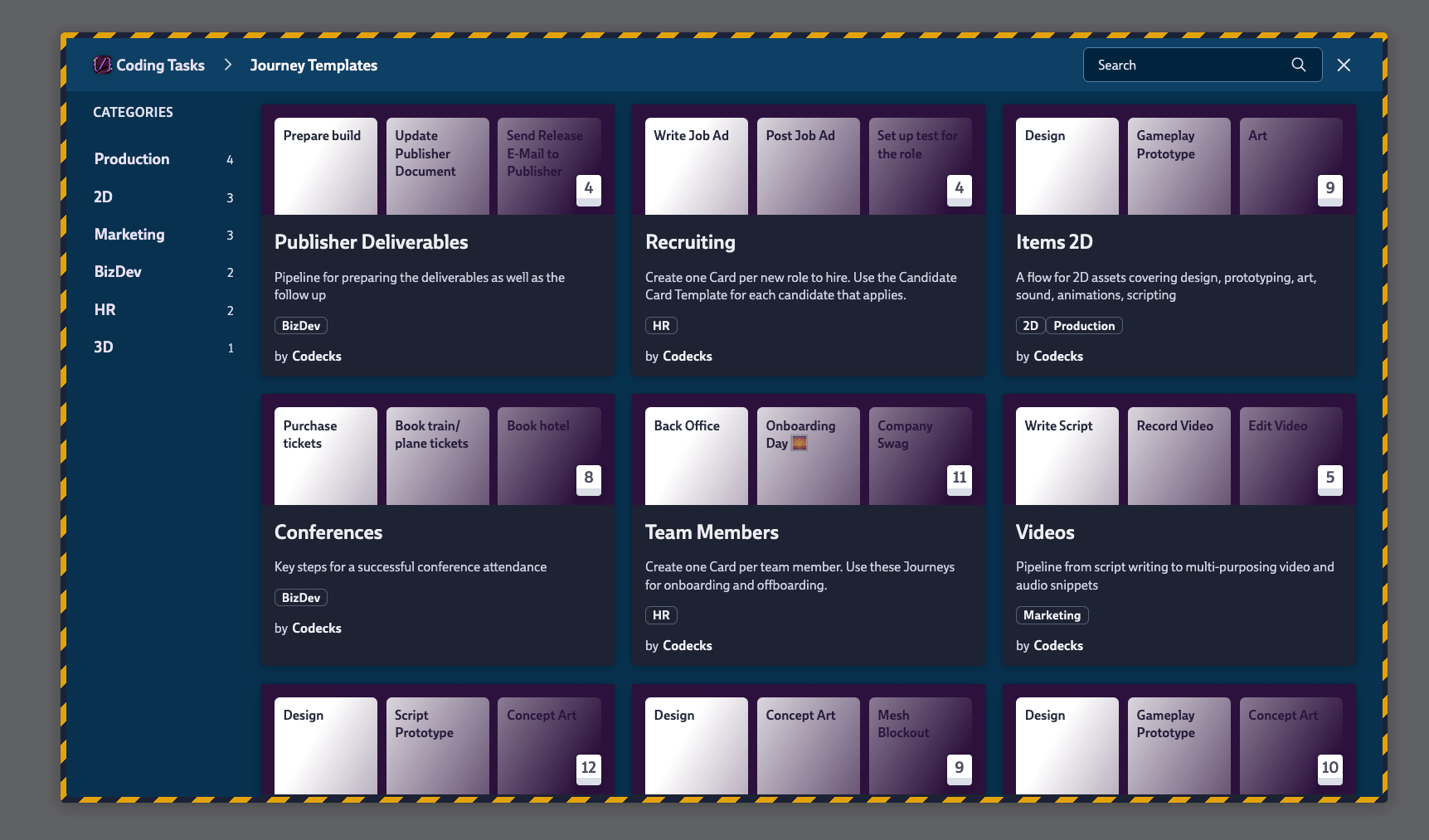
- Browse Templates from the Journey View. A new browse panel lets you find templates without leaving the Journey view.
- Save Your Own Journeys as Templates. Built a workflow you like? You can now save it as a template. Templates you submit to the community library go through a quick review by the Codecks team before they show up publicly.
- Deck Mapping. Applying a template means making it fit your own project. A template’s “Code Tasks” deck probably needs to map to your own “Programming” deck, for example. The new mapping step lets you control exactly where the cards land, so that templates fit your own project structure.
- Template Cards Moved. As part of a Journey you were able to define a “Template Card” that acted as default card content for new cards in that deck. To make Journeys easier to use, we moved this functionality into the automation section of decks, so this feature now lives outside of Journeys and can be used independently of Journeys.
- Better Feedback. When you tried to instantiate a Journey while skipping a couple of cards, it could result in weird error messages when you were missing important dependencies. We made the algorithm smarter in handling those cases and also improved error messaging for remaining issues that require your intervention.
🃏 Multi-Hand
We’re making Hands more useful by allowing cards to live in multiple Hands at once! This is a major shift in how the Hand works. Previously you could track your own todo list for the day, but it was restricted to cards that you were owning.
Not all daily focus is on cards that you’re owning though. For example there might be an important review that is waiting on your feedback or a Document Card that is owned by somebody else that you want to contribute to. In the past this resulted in having to maintain additional mental load for all the cards that you were not owning but actually wanted to work on today as well.
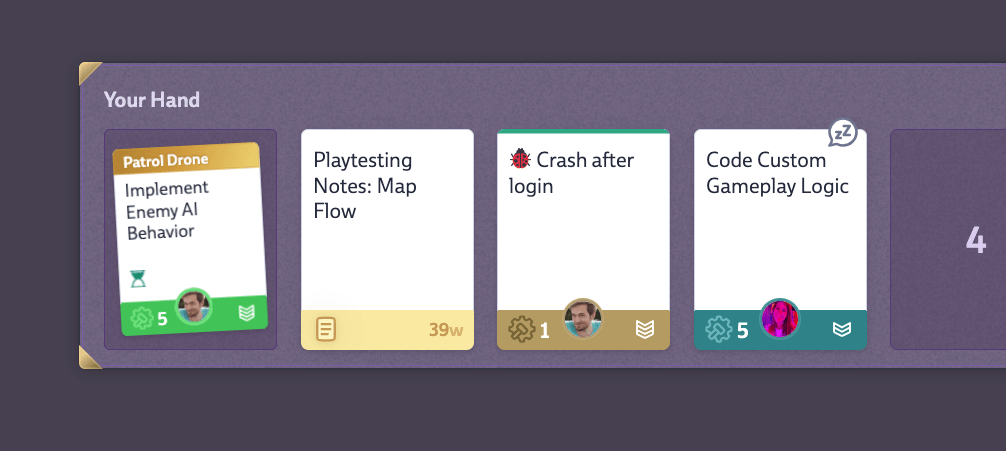
We now allow you to add any card to your Hand, so that your Hand really represents the actual todo list that you want to tackle today, whether it’s working on a card that you’re also owning or not.
The Hand icon on card headers now differentiates between these three states:
- Highlighted. The card is in your hand.
- Solid. The card is in somebody else’s hand, but not yours.
- Dashed. The card is not in any hand.
Be mindful that this means that adding a card to your personal hand will not automatically make you the owner anymore. We’re excited to hear what you think about this new feature.
🚀 Card Improvements
Of course we have a few improvements for cards too.
- Tighter Card Header. The globe icon for public cards moved next to the card ID, and the focus mode icon now only shows on hover on the card content. This continues our theme from the last release notes, making Codecks tidier.
- Copy Card Content as Markdown. The
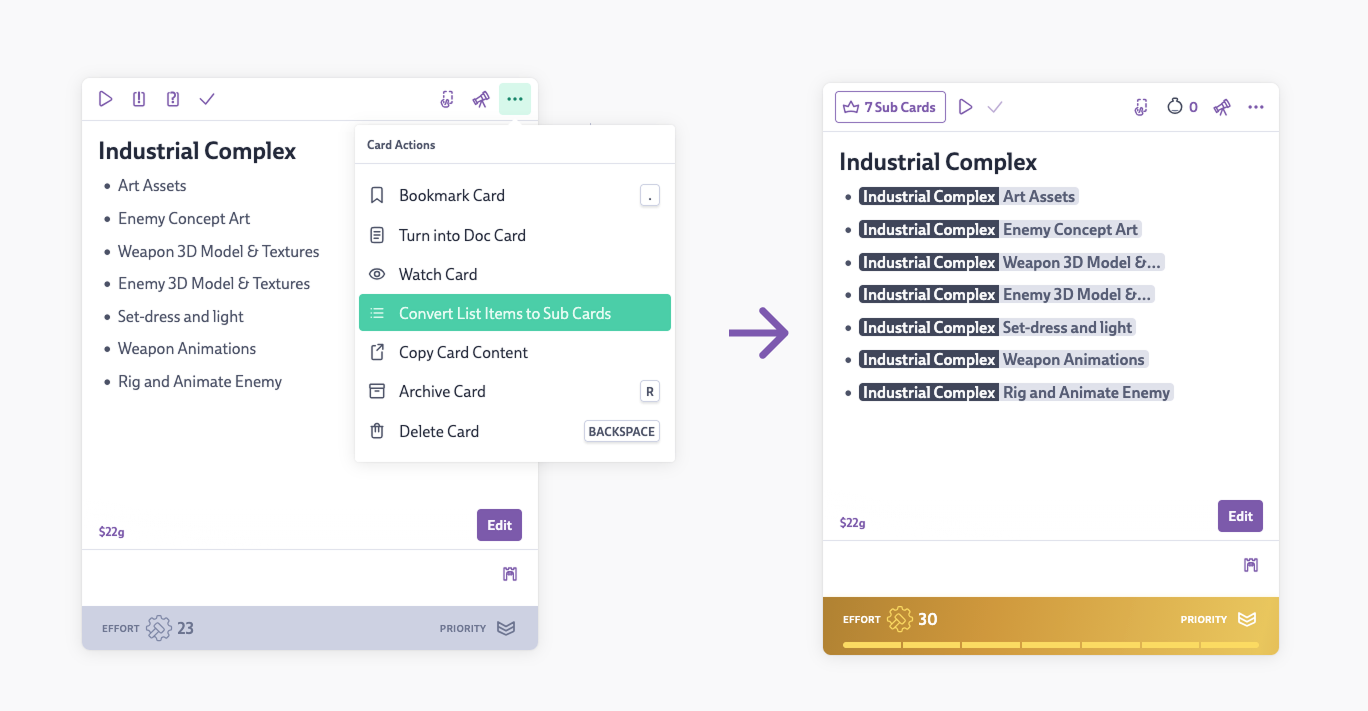
...menu on cards now has a new action for copying the card content to your clipboard. - Turn List Items Into Sub-Cards. The
...menu also has another new card action that turns the items in a checklist into proper sub-cards in one step. We know you’ve been waiting for this one!
- Space Bar Matches the Play Button. The Space Bar shortcut now does the same thing as the play button on the card. Before there were some subtle differences which we’ve leveled out to make usage more intuitive.
- Time Tracking. We now show a stopwatch widget on cards that are being time-tracked by other people. This makes it easier to tell apart cards that have been started (blue) and cards that are actively being worked on right now. Previously this was only the case for cards that you were working on, but it now works across the whole team… and it now also works in table mode.
- Shortcuts Prefer the Hovered Card. When you have both an open card and a hovered card, shortcuts now go to the hovered one.
- Text Editor: Move Lines. Use
alt + up/downto move lines around in the editor. - Text Editor: Bold & Italic Shortcuts. Select text and hit
cmd/ctrl + bori.
🔗 Dependency Improvements
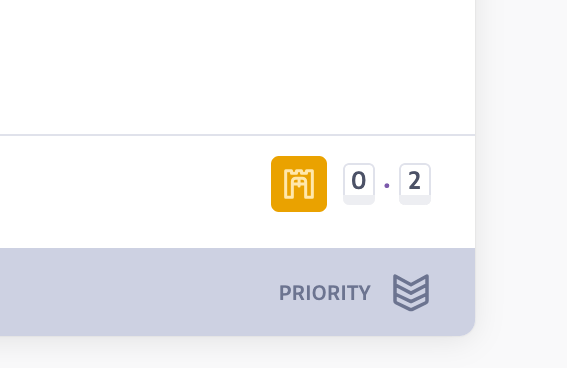
- Reworked Dependency Icons. We made the dependency icons on cards more noticeable by color coding them. You can now see at a glance if a card is locking others.
- Locking Filter. You can now search for cards that are dependency-locking other people.
- Confirmation When Bypassing Dependencies. Marking a locked card as “done” now shows a confirmation dialog, the same one we already show when you try to start a locked card.
✨ Even More Improvements
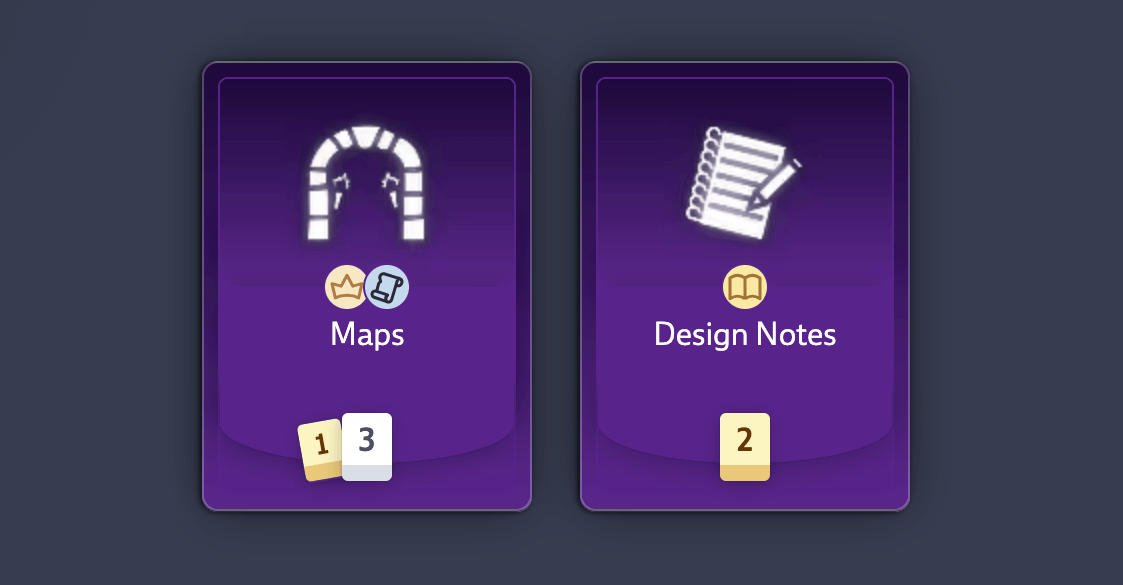
- Doc Card Count in the Deck Overview. We show the number of doc cards separately from regular cards inside of decks.
- Vision Board: Full Card Mode. Card nodes can now open in Full Card mode, so you can view and edit card content without leaving the board.
- Vision Board: Better Container Selection. Rectangle-selecting elements in groups used to automatically select the group itself too. Now the selection is smarter and only selects containing elements, making it easier to move multiple elements at once without messing everything up.
- Negated Search. Start a search with
!to see all the options you can negate. Negated options also work for Smart Nodes on the Vision Board. - Cleaner Feature Section in Org Settings. We tidied up the feature settings page, adding clearer descriptions for all features. Also the Due Dates feature now has its own toggle.
- Easier Deck Deletion. Deleting a deck used to ask you to move or archive every card first. Now it just offers to auto-archive them for you. This also makes it easier to quickly clean up again if you don’t like a project template that you imported.
- Billing Alerts to Both Inboxes. Critical billing events (like a failed credit card charge) now go to both the invoice email and the workspace owner. No more missed payments because the invoice email isn’t being monitored.
- Order Cards by Creator. A new sort option. For cards created via Decky, this groups them by Discord user. Useful for spotting patterns in community-submitted cards.
- All Future Milestones in Timeline & Calendar. Both views were restricted to two years into the future. It now expands to show every future Milestone, even those more than two years away.
- Unfilled seats notification. We now send periodic email notifications if you have unfilled seats in your organization.
🐛 Bug Fixes
- Vision Board charts now update consistently when card statuses change, dragging the scrollbar on a full card node no longer drags the card with it.
- Public Vision Boards no longer allow any modifications. Before, some edits appeared to work but were only stored in the user’s browser and never sent to the server.
- Discord: attached images now show up properly in the card bottom.
- The due date picker now displays correctly in dark mode.
- The Hand tab no longer shows cards from archived or deleted projects when viewing a Sprint or Milestone.
- Observers can now be added properly even when all paid seats are already assigned.
- Card creation: the card bottom is clickable again for setting effort, owner, and priority.
- Upvotes work correctly again for all visitors on open decks.
$card references now show during card creation.- Use
_to represent a space when searching for cards via$in card content. - Deleted cards are no longer counted toward effort in Sprint or Milestone stats.
- User Management: opening one role selector now closes any others that were open.
- The action button on the left side of the deck, milestone and sprint view now uses a proper disabled state (for example, when viewing deck activity).
- Changing the order in one deck no longer applies that order to every other deck.
- Starting a review via git now sets the review color on the card correctly.
- 10-digit Belgian VAT IDs are now accepted.
As usual we’re eager to listen to your feedback on our changelog feedback button, discord or email. All the best, the Codecks team.


