For years, we’ve been building the individual mechanics that make up Codecks. Now, they are finally coming together into the platform we always envisioned. Our goal has always been to not just build a slightly better project management tool, but to build a holistic production system that suits games dramatically better.
We are tired of seeing studios forced to shoehorn their work into software processes designed for web sites and banking software. Game dev is asset-driven and mixes aspects of iterative development and waterfall pipelines. You need a home that seamlessly mixes tasks with asset specs, mood boards, and loose brainstorming docs… and that works for multidisciplinary creative teams.
You need a place where you can quickly discover battle-tested workflows, so you don’t have to develop a new process from scratch every time you work on a new game or your studio grows. It’s time for a process that finally feels like it was built for us.
In this update, we’re taking big steps into that future by making sure that it is easier to understand how all the Codecks features come together into a unique process designed for creative game studios.
Project Templates
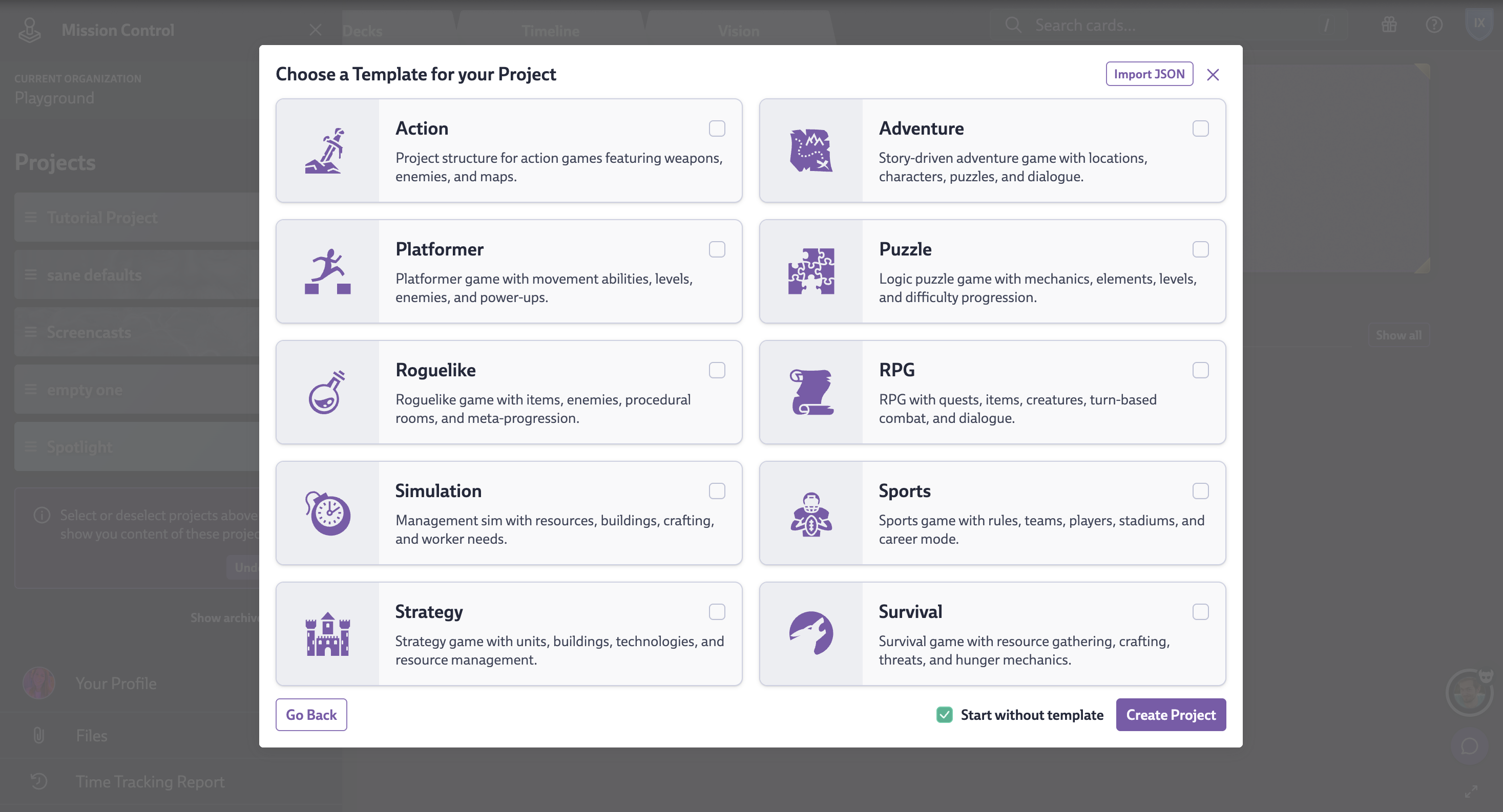
Now, when you create a project, you can grab a template from our new picker. These aren’t just random lists; they demonstrate our recommended Codecks setup: a GDD Space for your design and assets, and a Task Space for implementation, all connected via Journeys.
Even if you’re already deep in production, it’s worth peeking at them to see if you can steal a few workflow tricks.
Deck Types
Deck type settings used to be buried in the automation menu. We promoted them to a dedicated button in every deck header and simplified the options into 4 clear choices:
- Asset Decks: A place for your player-facing assets and gameplay system. If you drop a card here without sub-cards, it automatically becomes an empty Hero card.
- Task Decks: Your standard trench work containing task cards and sub cards. Defaults to Table View.
- Knowledge Decks: For your documentation and meeting notes.
- Mixed Decks: The “anything goes” bucket.
The deck picker is now smarter, too. It won’t let you accidentally drop a card into a deck type that doesn’t fit.
Default Inbox Deck
We’re now generating a default Inbox Deck on signup so that this feature is easier to discover. It serves as a dumping ground for your ideas immediately. You can tweak where this lives in Org Settings.
Tip: As a producer, set this up for your team members individually, so their cards land safely in the right spot (e.g., auto-routing Coder cards to the “Programming” deck). You will find the inbox assignment button on each team hand.
Onboarding for the Whole Team
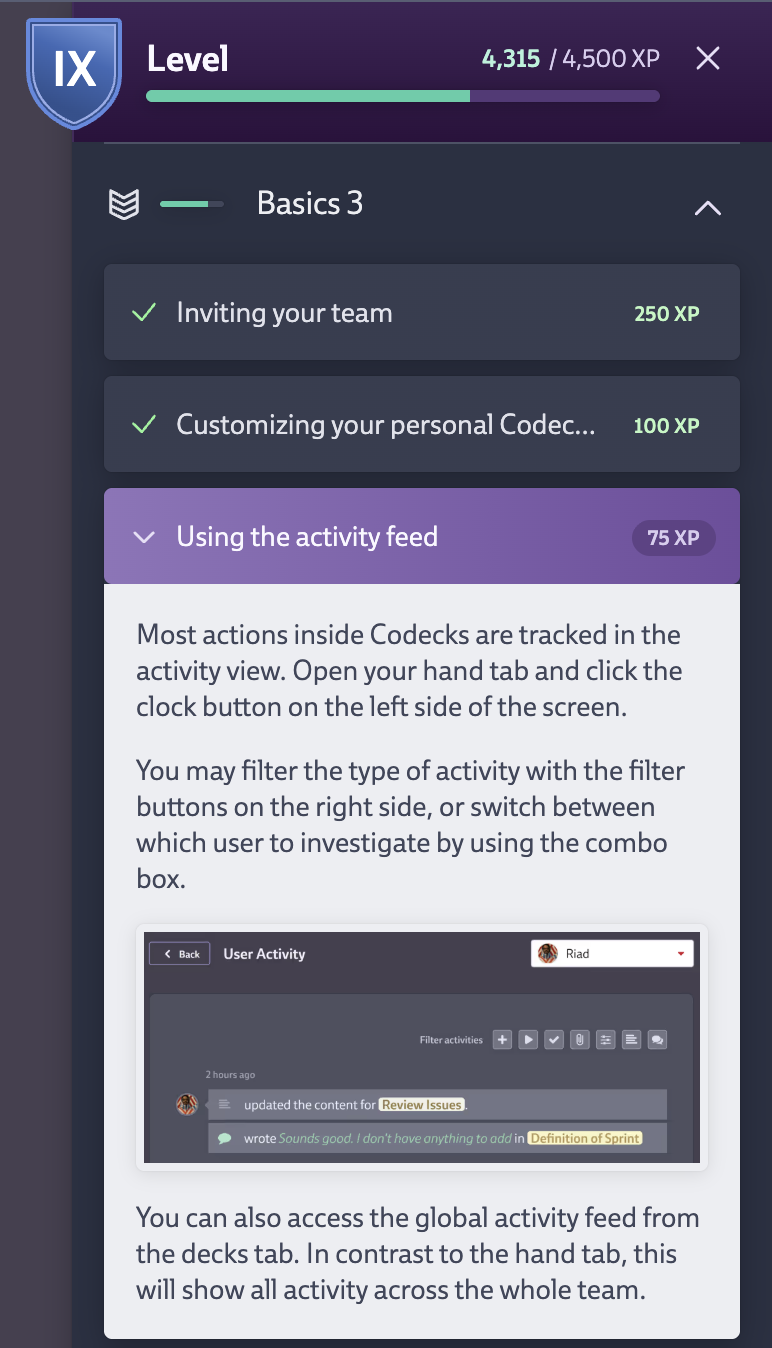
Our onboarding quest system was previously admin-only, which was a bit unfair. Now, everyone on the team (observers included) gets a guided tour of card, deck, and org settings relevant to their role.
If you are an established team and don’t want people messing with your perfectly tuned setup, go to Org Settings and switch Quest Settings to “Simplified”. This gives them the basics while skipping potentially disruptive features.
Conversation Improvements
Communication is half the job. We made a few tweaks to make it even more convenient:
- Browser Notifications: You can now get real-time operating system notifications about threads even if the Codecks tab is closed. You need to enable this per device in your Profile.
- Resizable Conversations: The sidebar is wider by default, and you can drag to resize it.
- Auto-focus: Hitting “New Thread” puts your cursor right where it needs to be.
- Discord User Mapping: If you use Discord, you can now map Discord members to Codecks users in the Decky settings. This ensures our bot tags the actual humans involved in the thread.
Expect more improvements for team using Discord for internal communication in the future.
Sub Card List
We made managing Hero cards with dozens of sub-cards easier:
- Added a search field to filter sub-cards instantly.
- Added “Expand/Collapse All” buttons to save your mouse clicks.
- Better Flow: Creating a sub-card now opens/highlights it in the panel, instead of leaving you hanging on the parent card.
Vision Board
We love the Vision Board, so we gave it some major, significant improvements.
New Features
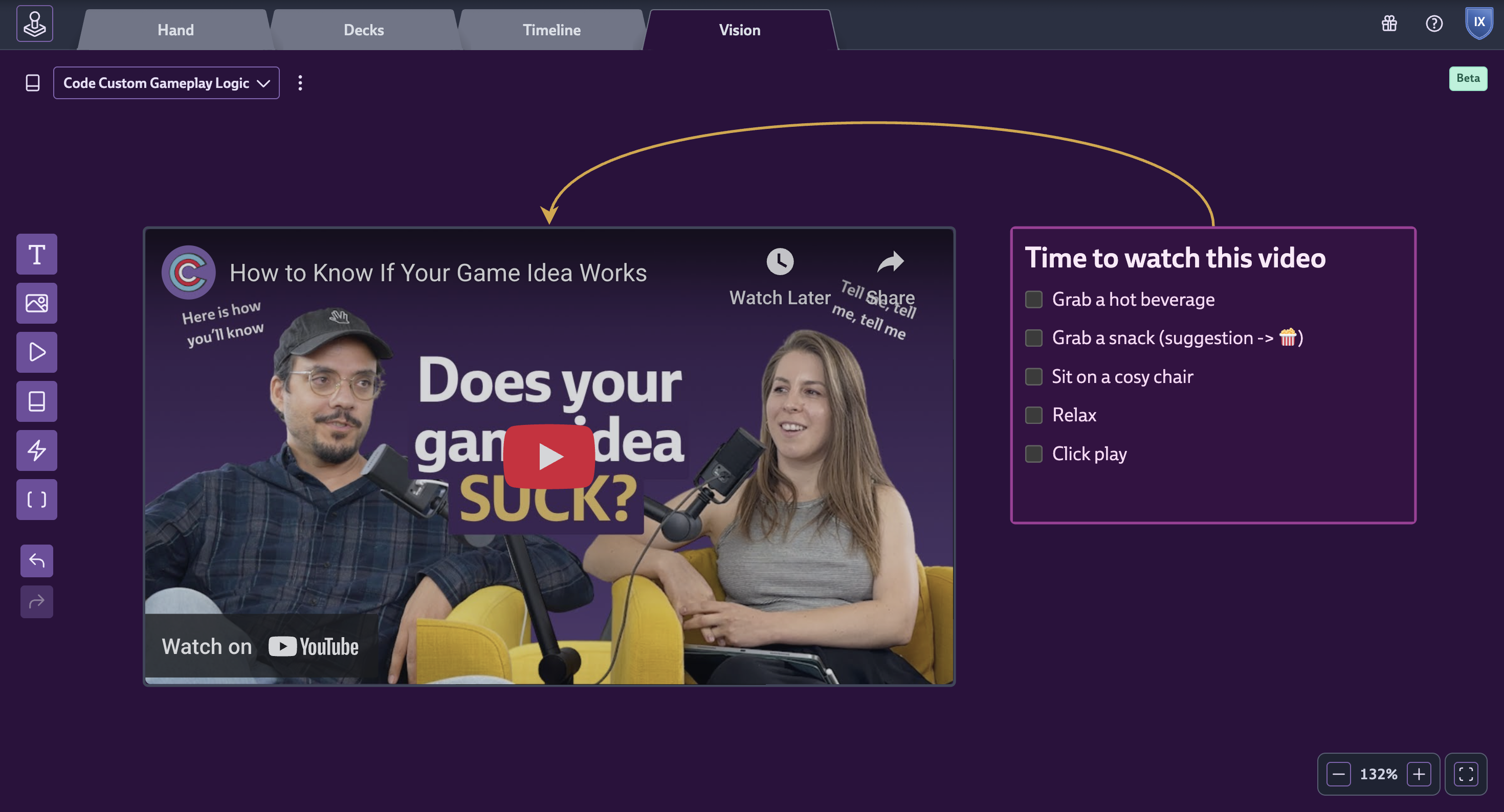
- Video Nodes: You can now embed YouTube videos directly. Great for reference footage.
- Text Node Improvements: Backgrounds are solid (easier to read), and you can paste images right inside them. Checkboxes work now, too.
- Paste to Create: Just paste text onto the board to spawn a node.
- Smart Charts: Donut charts support images now.
- Activity Log: We now track Vision Board changes in the activity log (capped at once per hour so we don’t spam your activity log).
Usability & UX
- Card Interaction: Clicking the card icon now opens the sidebar instead of closing your board.
- Node Placement: Click once to select a node type, click again to place it. Much smoother. You can also drag and drop the widget buttons now.
- Alignment: Borders render inside nodes now, meaning you can align boxes perfectly without overlaps.
- Table View Nodes: You can order these, hide archived stuff, and even show Upvotes.
- Navigation: Middle-mouse pan support is now here. Also, you can navigate widget pickers with arrow keys.
Fixes
- Improved mouse wheel vs. touchpad detection.
- Fixed drag and drop weirdness with containers.
- Resize handles shouldn’t go missing on new nodes anymore.
- Fixed panning issues when hovering over scrollable nodes.
Referral Program
We added a referral program (gift icon in the top right). If you get a friend to sign up, they get a 10% discount, and you get up to 100€ credit per teams that signs up. This is tied to you, not your org.
Further Improvements and Fixes
And that’s still not everything:
User Interface & Accessibility
- Dark Mode: Added fallbacks for older browsers and toned down the brightness on unassigned/doc cards.
- Focus: Consistent focus styles on buttons. Confirm dialogs autofocus the “Yes” button so you can just hit Enter.
- Mobile: Dragging a cursor outside an overlay won’t accidentally close it anymore.
Workflow & Cards
- Hero Cards: No more confusing blue/purple states for Hero cards.
- Time Tracking: If you track time on someone else’s card and mark it done, the timer automatically stops now for you.
- Shortcuts: Added
vto snooze conversations (works on hover). Spacebar assignment works on opened cards now too. - Creation Flow: The browser back button behaves better, and the deck picker is less finicky during creation.
Organization & Admin
- User Management: Admins can remove themselves from an org.
- Onboarding: Admins now properly receive the “4-week streak” task.
- Settings: General Org Settings got a visual facelift. You can also close an org even if you don’t have a password set (e.g., if you used Google or Discord Auth).
Integrations
- User Reports: The table handles hundreds of entries much smoother now.
- Slack/Discord: Notifications properly resolve card/user mentions, even in titles.
- Steamy: We suppress the summary if you had zero reviews in the last two weeks.
Miscellaneous
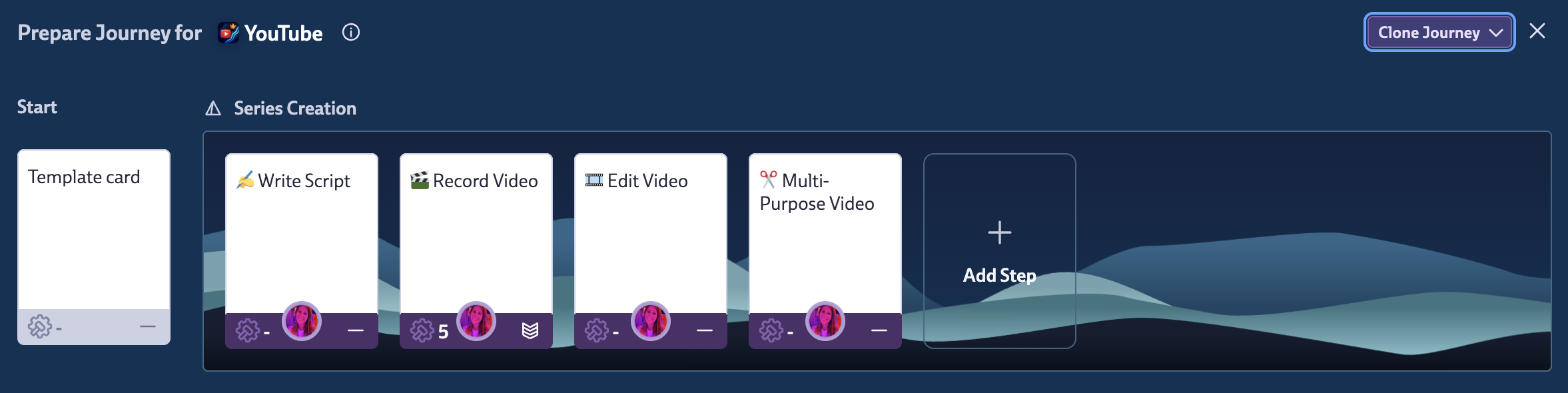
- Journeys: Added a button to clone journeys to another deck. This functionality was already available through the bulk actions, but this way it is easier to find.
- Ordering: Sorting by “Time Tracked” now puts the highest values first.
- Timeline Tab: Fixed a crash when dropping cards here.
- Text Editor: The suggestion overlay is smarter about when it pops up, Mentions within the deck / run / milestone description now show all project options
- General: Weeks can now start on Saturday. Fixed a bug where private cards weren’t showing up correctly.


